Logos, signs, menus, flyers & more...
100 Welcome GO Credits free when you sign up — no card, no subscription.

Made with Logogo
Start with a proven design.
 menu
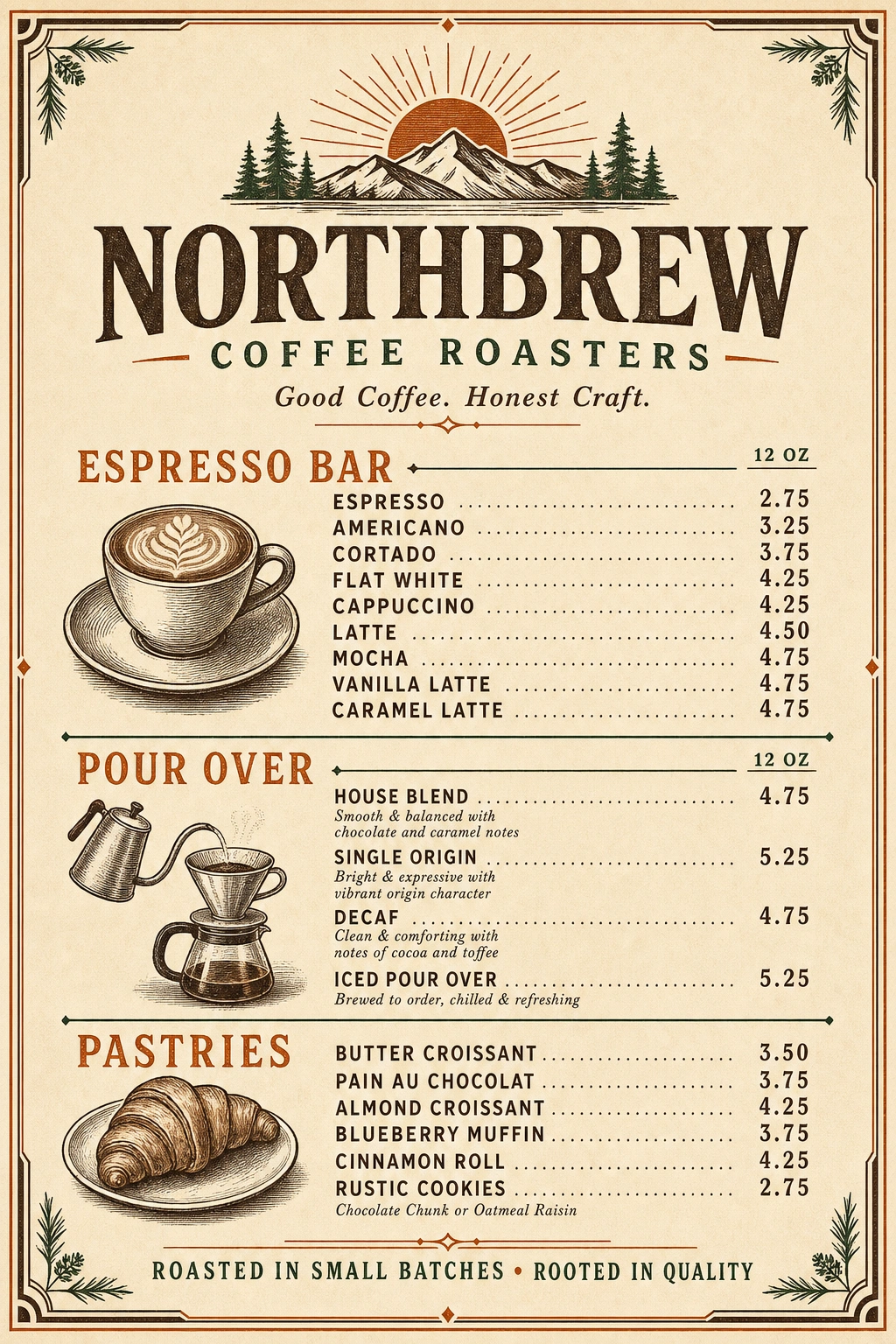
menuVertical 2:3 retro 1970s coffee shop menu poster on warm cream paper with chocolate brown and burnt-orange accents and dark green pine sprigs in the corners. Top: hand-drawn mountain range with rising sun and pine trees. Headline 'NORTHBREW' in a chunky vintage serif, subtitle 'COFFEE ROASTERS' in green between two orange dashes, tagline 'Good Coffee. Honest Craft.' in italic serif. ESPRESSO BAR (12 OZ) Espresso 2.75 Americano 3.25 Cortado 3.75 Flat White 4.25 Cappuccino 4.25 Latte 4.50 Mocha 4.75 Vanilla Latte 4.75 Caramel Latte 4.75 POUR OVER (12 OZ) House Blend 4.75 — smooth & balanced with chocolate and caramel notes Single Origin 5.25 — bright & expressive with vibrant origin character Decaf 4.75 — clean & comforting with notes of cocoa and toffee Iced Pour Over 5.25 — brewed to order, chilled & refreshing PASTRIES Butter Croissant 3.50 Pain au Chocolat 3.75 Almond Croissant 4.25 Blueberry Muffin 3.75 Cinnamon Roll 4.25 Rustic Cookies 2.75 (chocolate chunk or oatmeal raisin) Left column has small etched illustrations: a latte cup with rosetta, a gooseneck kettle dripping into a Chemex, a croissant on a plate. Footer ribbon: 'ROASTED IN SMALL BATCHES • ROOTED IN QUALITY'. Dotted leader lines between item names and prices.
More→ sign
signMinimal square restroom sign, pure white background with a thin rounded rectangle black border. Centered: two solid black pictograms — a man on the left, a woman in a dress on the right — separated by a thin vertical black divider line. Below the figures, the word 'RESTROOM' in a clean modern geometric sans-serif (medium weight, generous letter-spacing) in solid black, with a short thin horizontal black underline beneath it. Lots of whitespace, perfectly centered composition.
More→ logo
logoLuxury beauty salon logo on a soft ivory/cream background. Centered emblem: a fine gold line-art rose with a thin double gold circle behind it and two deep emerald-green leaves on the stem crossing the wordmark. Wordmark 'Lumière' in a tall elegant gold serif with calligraphic swashes on the L and the final e. Small uppercase serif side text 'EST.' on the left and '2020' on the right of the wordmark, separated by dots. Beneath the wordmark, centered uppercase serif tagline 'BEAUTY SALON' in dark teal-green with a small dot on each side and a thin horizontal gold line under it. Smaller line of micro-tracked uppercase letters 'BESPOKE SKINCARE & COSMETIC TREATMENTS' below. Tiny gold filigree ornament centered at the bottom. Palette: gold (#c9a24a), deep emerald, ivory cream.
More→ poster
Square Japandi scan-to-pay QR poster on warm ivory washi-paper texture. Left side: a sumi-e ink-painted cherry blossom branch in soft blush pink with a dark charcoal trunk, flowing from top-left down the left edge. Right side, centered: large refined serif headline 'HANAMI' in deep charcoal, with the Japanese characters '花見' centered just below in smaller charcoal serif. Center of the poster: a square QR code with a generous white border. Below the QR, all caps spaced serif 'SCAN TO PAY' in charcoal. At the very bottom, smaller centered all-caps serif 'ARIGATŌ • TOKYO IZAKAYA'. Generous negative space, minimal Japandi composition.
More→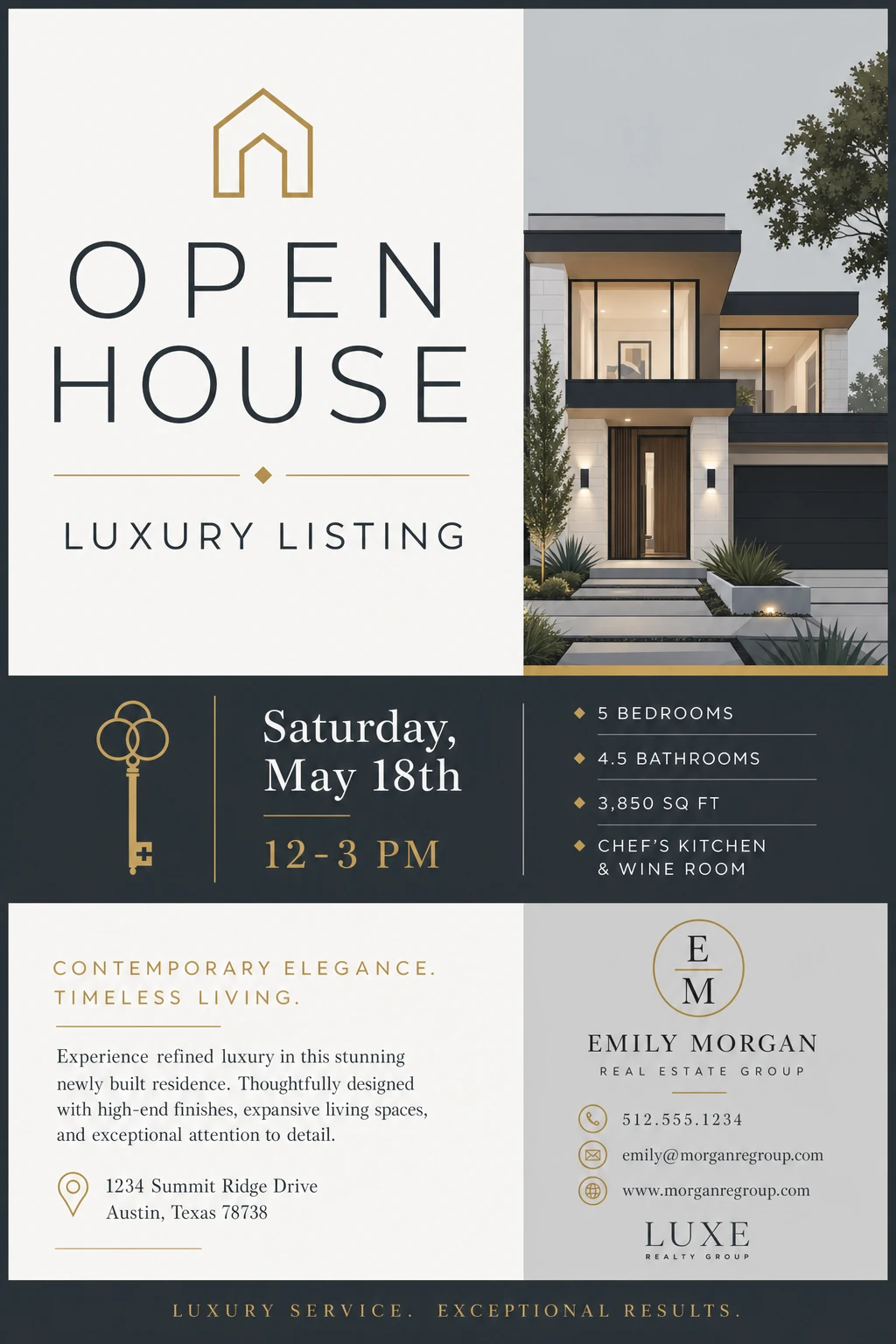 flyer
flyerPortrait luxury real-estate open-house flyer for 'Emily Morgan Real Estate Group / Luxe Realty Group'. Layout in four quadrants on a deep navy (#0f1d2a) base. Top-left panel (cream): thin gold line-art house icon, then 'OPEN HOUSE' in a tall thin modern serif (deep navy), thin gold divider with a small diamond, then 'LUXURY LISTING' in uppercase tracked serif. Top-right panel: photo of a modern white-and-charcoal architectural home at dusk with warm entry lights, manicured landscaping and a tree. Middle navy band (left): gold line-art skeleton key icon, then 'Saturday, May 18th' in a tall serif, a short gold rule, then '12 – 3 PM' in gold serif. Middle navy band (right): four gold diamond bullets — '5 BEDROOMS', '4.5 BATHROOMS', '3,850 SQ FT', 'CHEF'S KITCHEN & WINE ROOM' in tracked uppercase serif, separated by thin gold underlines. Bottom-left panel (cream): small gold uppercase header 'CONTEMPORARY ELEGANCE. TIMELESS LIVING.', short gold rule, paragraph in dark navy serif: 'Experience refined luxury in this stunning newly built residence. Thoughtfully designed with high-end finishes, expansive living spaces, and exceptional attention to detail.' Gold pin icon with address '1234 Summit Ridge Drive, Austin, Texas 78738'. Bottom-right panel (warm grey): gold circle monogram 'EM', then 'EMILY MORGAN' in tracked serif, 'REAL ESTATE GROUP' beneath, gold rule, contact stack with gold line icons — phone '512.555.1234', email 'emily@morganregroup.com', web 'www.morganregroup.com'. Beneath, the 'LUXE REALTY GROUP' wordmark with small serif tag. Bottom navy footer: tracked gold serif 'LUXURY SERVICE. EXCEPTIONAL RESULTS.' Palette: deep navy, warm cream, antique gold, soft warm grey.
More→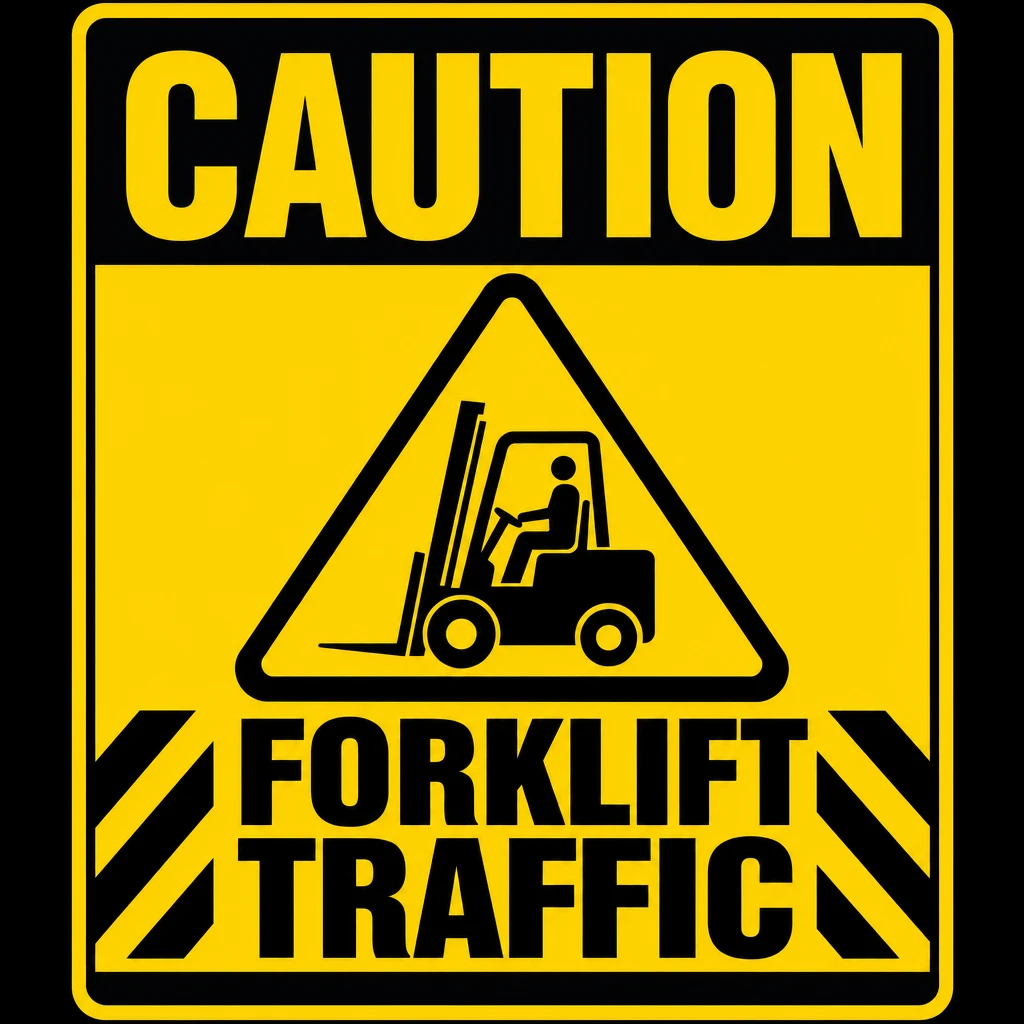 sign
signBold square warehouse safety sign. Solid safety-yellow background with a thick black border. Top: full-width black band with massive bold condensed sans-serif headline 'CAUTION' in yellow, all caps, ultra-heavy. Center: a large black equilateral warning triangle outlined in heavy black holding a black silhouette of a forklift with a seated driver, facing left. Bottom: two thick black diagonal hazard stripes on the left and right corners, framing massive bold black sans-serif text 'FORKLIFT / TRAFFIC' on two stacked lines, all caps. Industrial, high-contrast, maximum legibility.
More→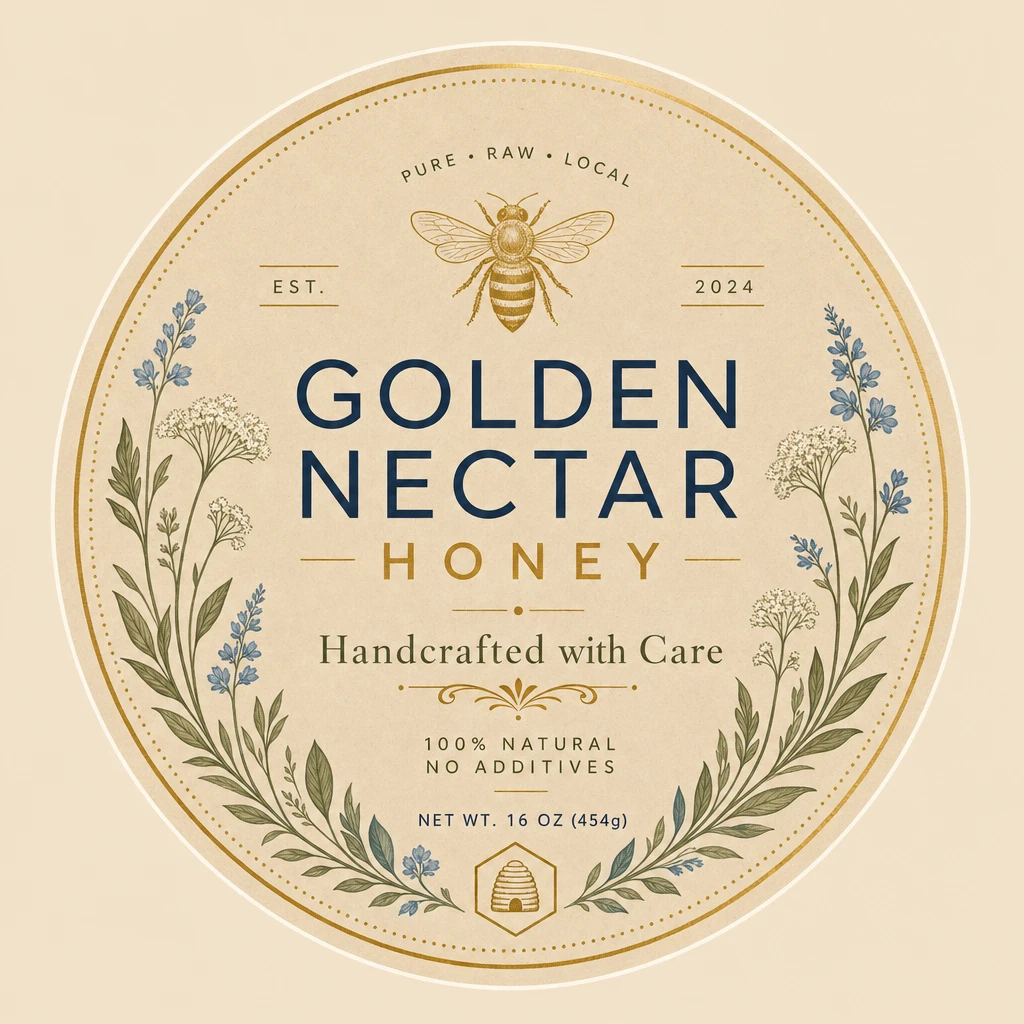 label
labelRound artisan honey jar label on warm kraft-beige paper texture with a thin double gold border circle. Top arc: tracked uppercase navy serif 'PURE • RAW • LOCAL'. Centered: a delicate vintage gold engraved honeybee illustration. Below the bee, the brand wordmark 'GOLDEN NECTAR' in a strong deep-navy serif stacked over the word 'HONEY' in gold serif between two short gold dashes. Italic dark-green serif tagline 'Handcrafted with Care' beneath, with a small gold filigree divider. Then small uppercase navy sans 'EST. 2024' (split left and right of the bee). Below: small spaced label '100% NATURAL / NO ADDITIVES' and 'NET WT. 16 OZ (454g)'. Wreath of botanical illustrations around the inside of the circle — soft blue forget-me-nots, white yarrow, sage green leaves on both sides. Tiny gold hexagon with a beehive icon at the bottom center. Palette: kraft beige, deep navy, antique gold, sage green, dusty blue.
More→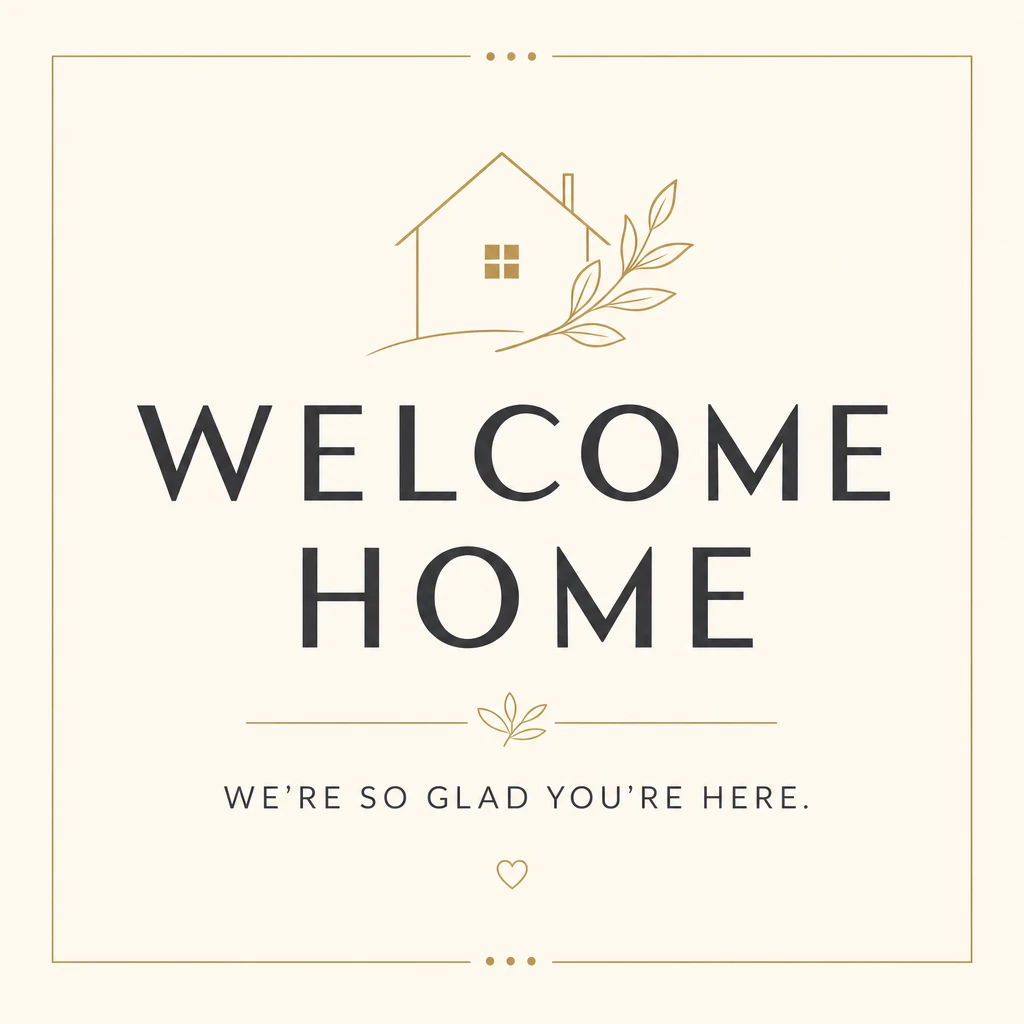 sign
signSquare Airbnb welcome sign on warm cream background with a thin gold rectangular border (small dot ornaments at the top and bottom center of the frame). Top center: minimal gold line-art house with a small square window and a delicate gold olive branch leaning to the right of the roof. Center: 'WELCOME HOME' on two stacked lines in a tall modern dark-charcoal sans-serif with refined letter-spacing. Below: a thin gold horizontal rule broken in the middle by a tiny gold leaf ornament. Beneath the rule: tracked uppercase charcoal sans 'WE'RE SO GLAD YOU'RE HERE.' Small gold line-art heart centered near the bottom border. Palette: cream, deep charcoal, soft antique gold.
More→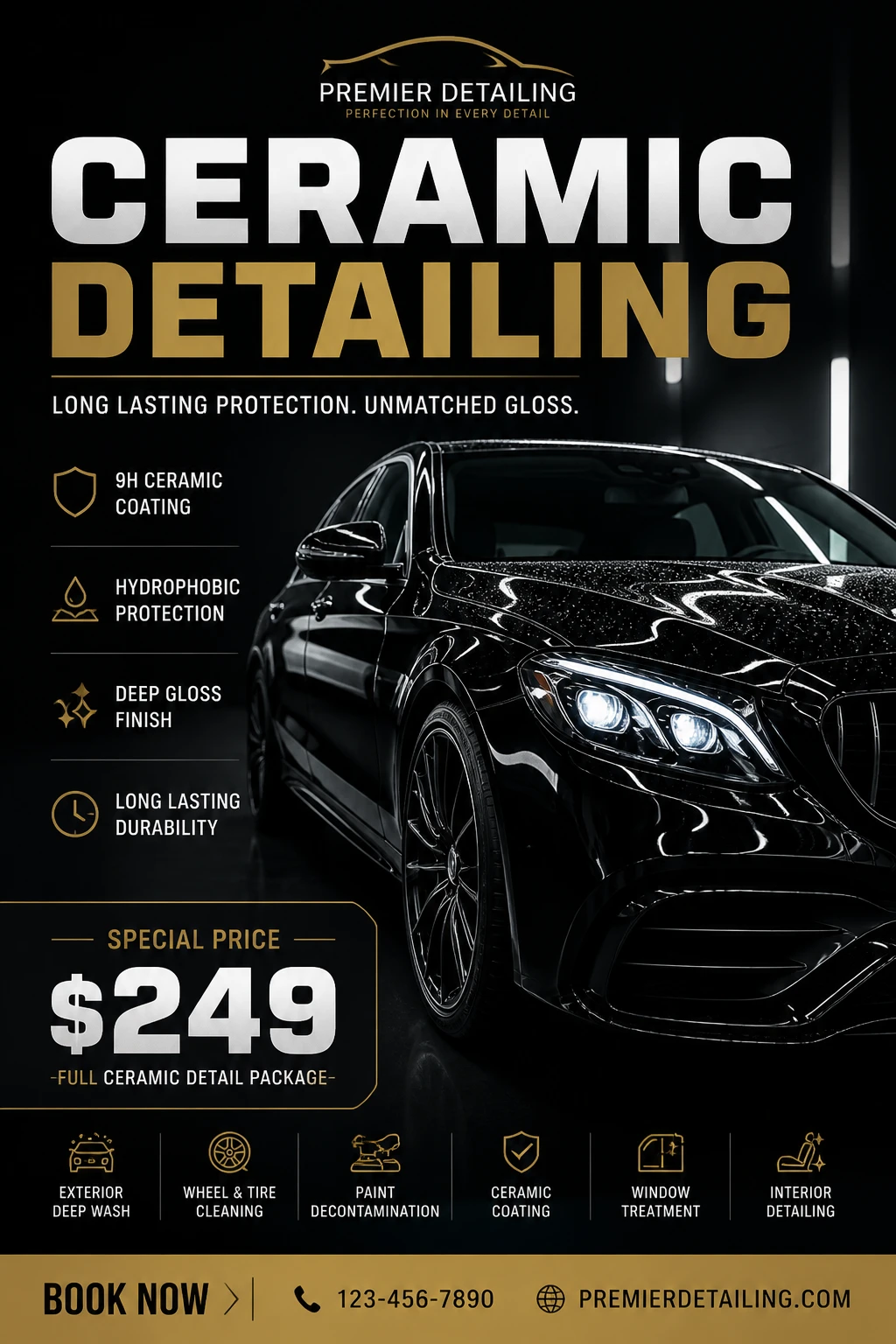 flyer
flyerPortrait premium ceramic car-detailing flyer on a near-black studio background with bright vertical light streaks on the right. Top: small gold line-art car silhouette logo, then 'PREMIER DETAILING' in tracked white serif with tracked gold serif tagline 'PERFECTION IN EVERY DETAIL'. Massive two-line headline 'CERAMIC' in chrome silver gradient over 'DETAILING' in gold gradient, ultra-bold compressed sans-serif. Subhead in white sans 'LONG LASTING PROTECTION. UNMATCHED GLOSS.' Hero photo right side: glossy black luxury sedan, three-quarter front view, beaded water droplets across the hood and roof, glowing LED headlights. Left feature list (gold thin-line icons with thin gold dividers between items): • Shield — '9H CERAMIC COATING' • Water drop — 'HYDROPHOBIC PROTECTION' • Sparkle — 'DEEP GLOSS FINISH' • Clock — 'LONG LASTING DURABILITY' Gold-outlined price callout: small label 'SPECIAL PRICE', then huge silver '$249', subtitle '— FULL CERAMIC DETAIL PACKAGE —'. Bottom row of seven small gold-outline service icons with labels in white: 'EXTERIOR DEEP WASH', 'WHEEL & TIRE CLEANING', 'PAINT DECONTAMINATION', 'CERAMIC COATING', 'WINDOW TREATMENT', 'INTERIOR DETAILING'. Footer gold band: 'BOOK NOW ›', phone '123-456-7890', web 'PREMIERDETAILING.COM'. Palette: matte black, chrome silver, antique gold, white.
More→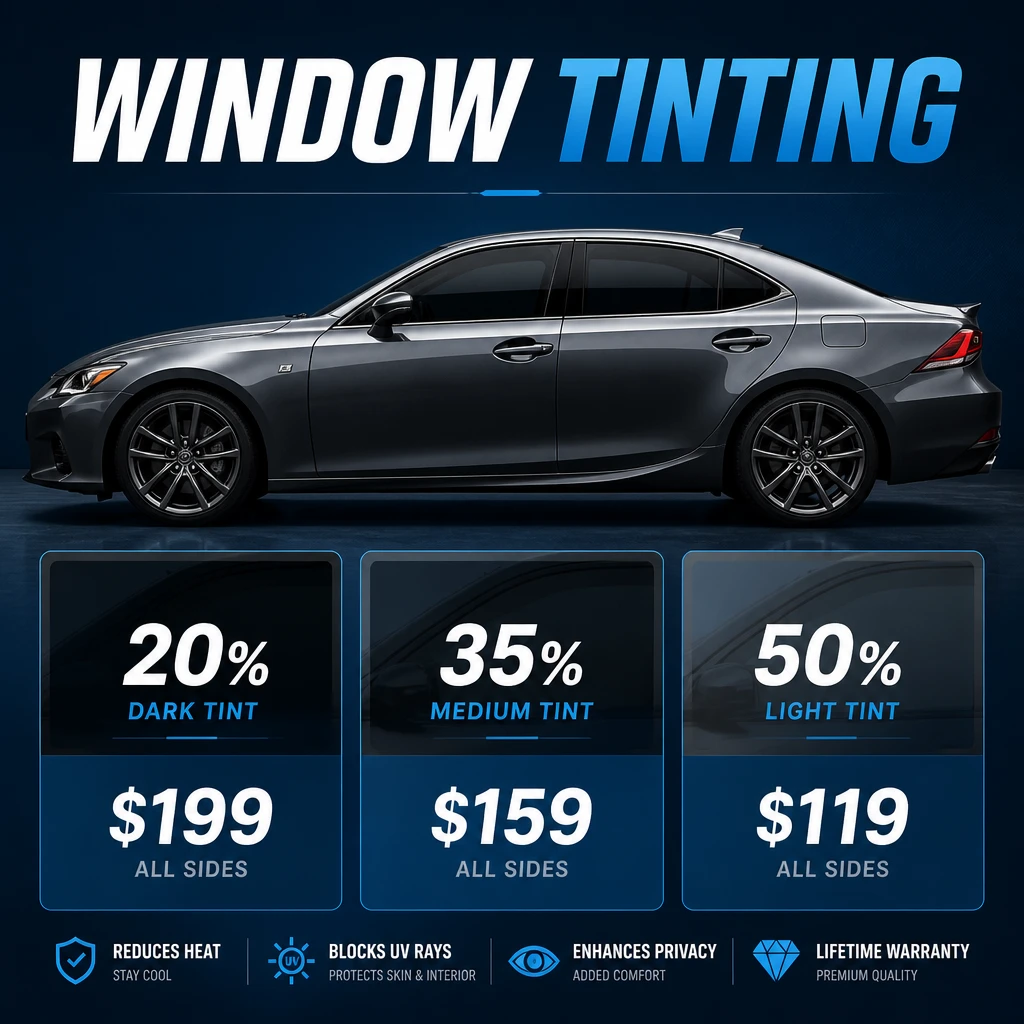 poster
Square automotive window-tinting price card on a deep blue gradient background with subtle radial light glow at the top. Massive bold italic headline 'WINDOW TINTING' across the top — 'WINDOW' in white, 'TINTING' in bright electric blue. Center: side profile photo of a charcoal-grey modern sport sedan with all four windows tinted dark, sitting on a reflective dark blue ground. Bottom row: three rounded glass-effect price cards, each split into a dark tinted-window top half showing the tint percentage and a blue lower half with the price: • Card 1: '20% DARK TINT' / '$199' / 'ALL SIDES' • Card 2: '35% MEDIUM TINT' / '$159' / 'ALL SIDES' • Card 3: '50% LIGHT TINT' / '$119' / 'ALL SIDES' Footer row of four small blue line-icon feature callouts: 'REDUCES HEAT — Stay cool', 'BLOCKS UV RAYS — Protects skin & interior', 'ENHANCES PRIVACY — Added comfort', 'LIFETIME WARRANTY — Premium quality'. Palette: deep navy, electric blue, white, charcoal.
More→ sign
signSquare seasonal tire-service shop sign. Left two-thirds: a tilted black sign panel with thick safety-orange border. Massive headline stacked: 'SEASONAL' in chunky white uppercase, 'TIRE CHANGE' in chunky orange uppercase, ultra-bold condensed sans-serif. Below, a small orange wrench divider, then 'FROM' in white and a huge '$39' in white with the dollar sign in orange. Bottom corner of the sign: orange tire-tread mark graphics. Right third: a real stack of four black all-season tires with thin orange tread sidewall stripes, sitting on a concrete shop floor. Background: a workshop with grey walls, a tool board with wrenches, and a small orange-and-white round logo high on the wall reading 'SAFE DRIVE ALL SEASON'. Palette: black, safety orange, white, concrete grey.
More→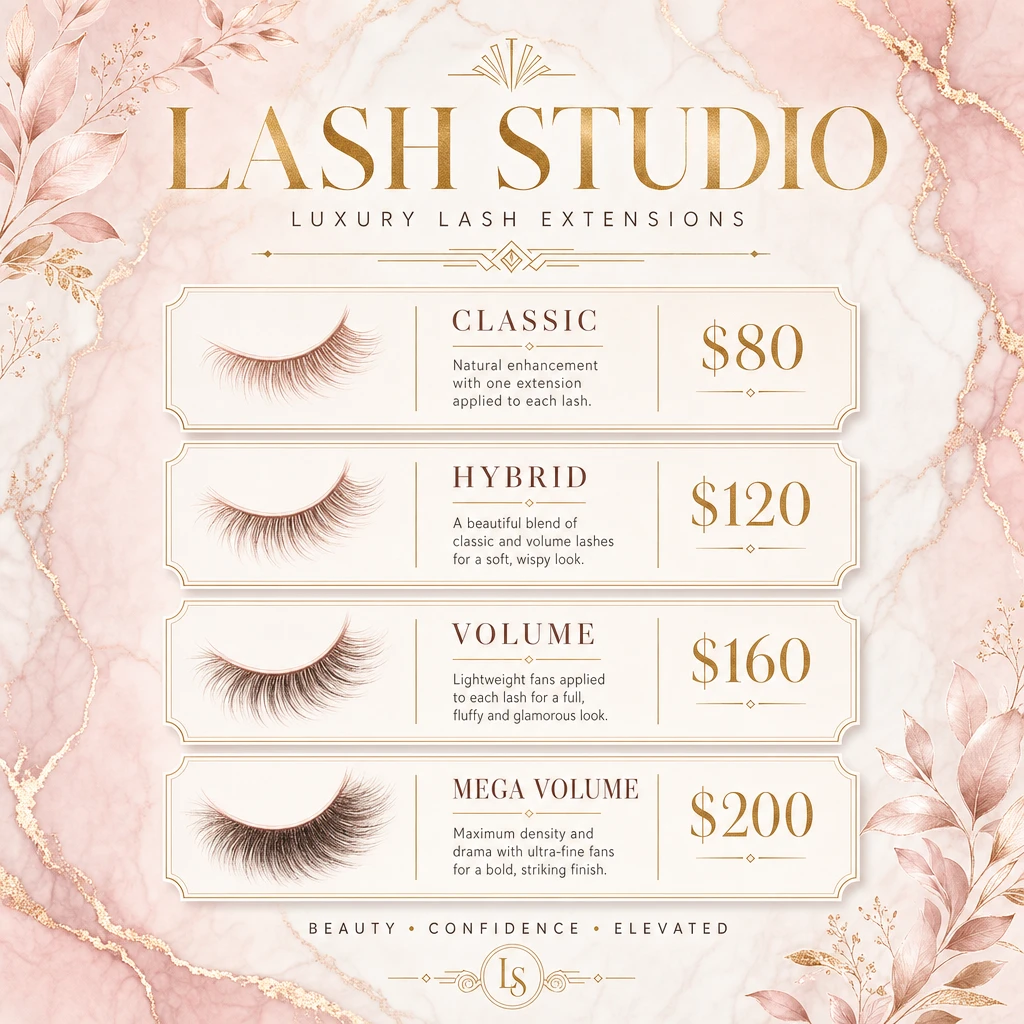 menu
menuSquare luxury lash-studio price list on a soft blush-pink marble background with gold-veined accents and watercolour eucalyptus/leaf sprigs in the top-left and bottom-right corners. Headline 'LASH STUDIO' in a tall gold serif, all caps, with a thin gold art-deco fan ornament above and tagline 'LUXURY LASH EXTENSIONS' in tracked gold serif below, separated by a thin gold rule. Four cream rounded ticket cards stacked vertically, each with three columns — left: a soft watercolour illustration of a single lash style; middle: tier name in gold serif with a short description; right: gold serif price: • CLASSIC — 'Natural enhancement with one extension applied to each lash.' — $80 • HYBRID — 'A beautiful blend of classic and volume lashes for a soft, wispy look.' — $120 • VOLUME — 'Lightweight fans applied to each lash for a full, fluffy and glamorous look.' — $160 • MEGA VOLUME — 'Maximum density and drama with ultra-fine fans for a bold, striking finish.' — $200 Footer: gold serif tagline 'BEAUTY • CONFIDENCE • ELEVATED' with a small gold 'LS' monogram. Palette: blush pink, antique gold, ivory, soft sage.
More→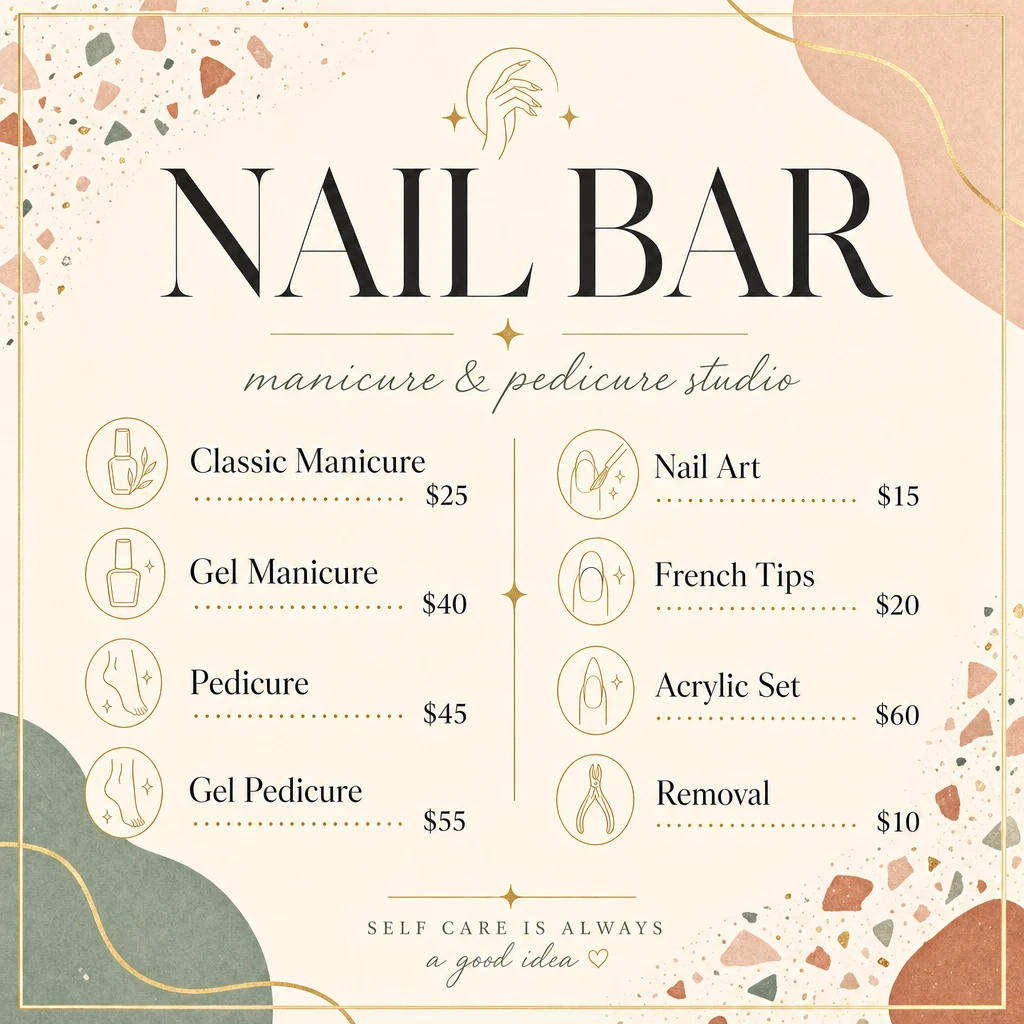 menu
menuSquare nail-salon service menu on a soft cream background with abstract pastel terrazzo shapes in sage, terracotta, blush and tiny gold confetti in the corners, framed by a thin gold double border. Headline 'NAIL BAR' in a tall elegant serif (deep charcoal), with a small gold line-art hand-and-moon ornament above. Italic gold script subtitle 'manicure & pedicure studio' between gold sparkles. Two columns of services, each row: small gold-circle line-icon, service name in dark serif, dotted gold leader line, price on the right. Left column: • Classic Manicure — $25 • Gel Manicure — $40 • Pedicure — $45 • Gel Pedicure — $55 Right column: • Nail Art — $15 • French Tips — $20 • Acrylic Set — $60 • Removal — $10 A thin vertical gold divider with a small diamond between columns. Footer: tracked uppercase serif 'SELF CARE IS ALWAYS' over italic gold script 'a good idea ♡'. Palette: cream, sage, terracotta, blush, antique gold, charcoal.
More→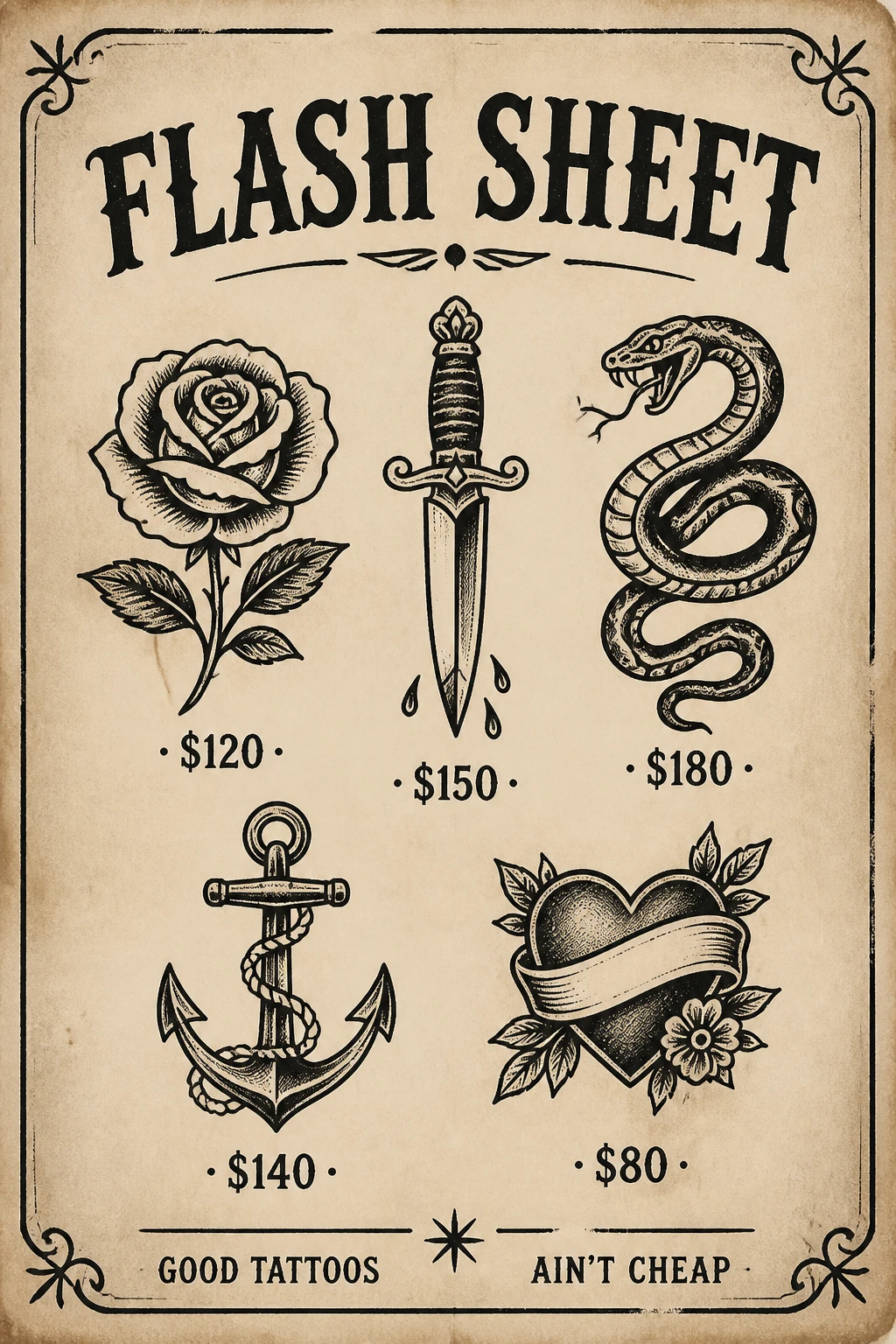 poster
Portrait vintage tattoo flash sheet on aged off-white paper with subtle stains and worn edges. Thin black double-line border with small ornamental corner flourishes. Headline 'FLASH SHEET' centered at the top in a heavy traditional Western serif (black), with a tiny black filigree ornament beneath. Two rows of three traditional American-style black-ink tattoo designs: Top row — black-ink rose with leaves ($120), an ornate dagger with drops of blood beneath ($150), a coiled snake with bared fangs ($180). Bottom row — anchor wrapped in rope ($140), heart with a banner across it surrounded by leaves and a small flower ($80). Prices written below each design in centered uppercase serif with dot-and-bullet style ('• $120 •'). Footer split by a small ornamental star: 'GOOD TATTOOS' on the left and 'AIN'T CHEAP' on the right, in heavy serif uppercase. Palette: aged paper cream, black ink only.
More→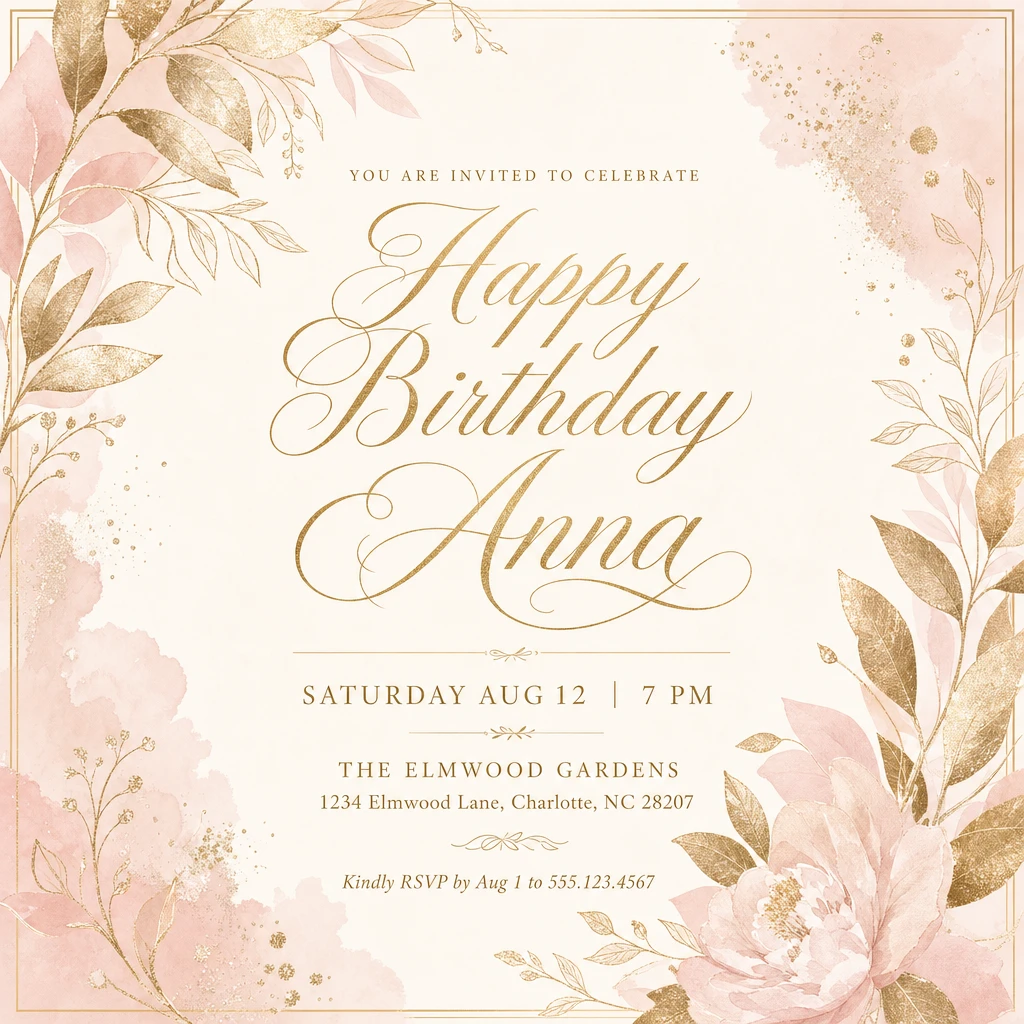 flyer
flyerPortrait elegant birthday invitation on a soft blush-and-ivory background with watercolour blush-pink clouds and metallic gold-leaf botanicals (leaves, peonies, baby's breath) in the top-left and bottom-right corners. Thin gold rectangular border. Centered, tracked gold serif: 'YOU ARE INVITED TO CELEBRATE' Massive flowing gold script across the middle: 'Happy Birthday Anna' (two lines, ornate calligraphic capitals) A thin gold horizontal rule with a small ornament, then in tracked uppercase serif: 'SATURDAY AUG 12 | 7 PM' A second short gold rule, then: 'THE ELMWOOD GARDENS' '1234 Elmwood Lane, Charlotte, NC 28207' Small italic serif at the bottom: 'Kindly RSVP by Aug 1 to 555.123.4567'. Palette: ivory, blush pink, antique/metallic gold, soft sage leaves.
More→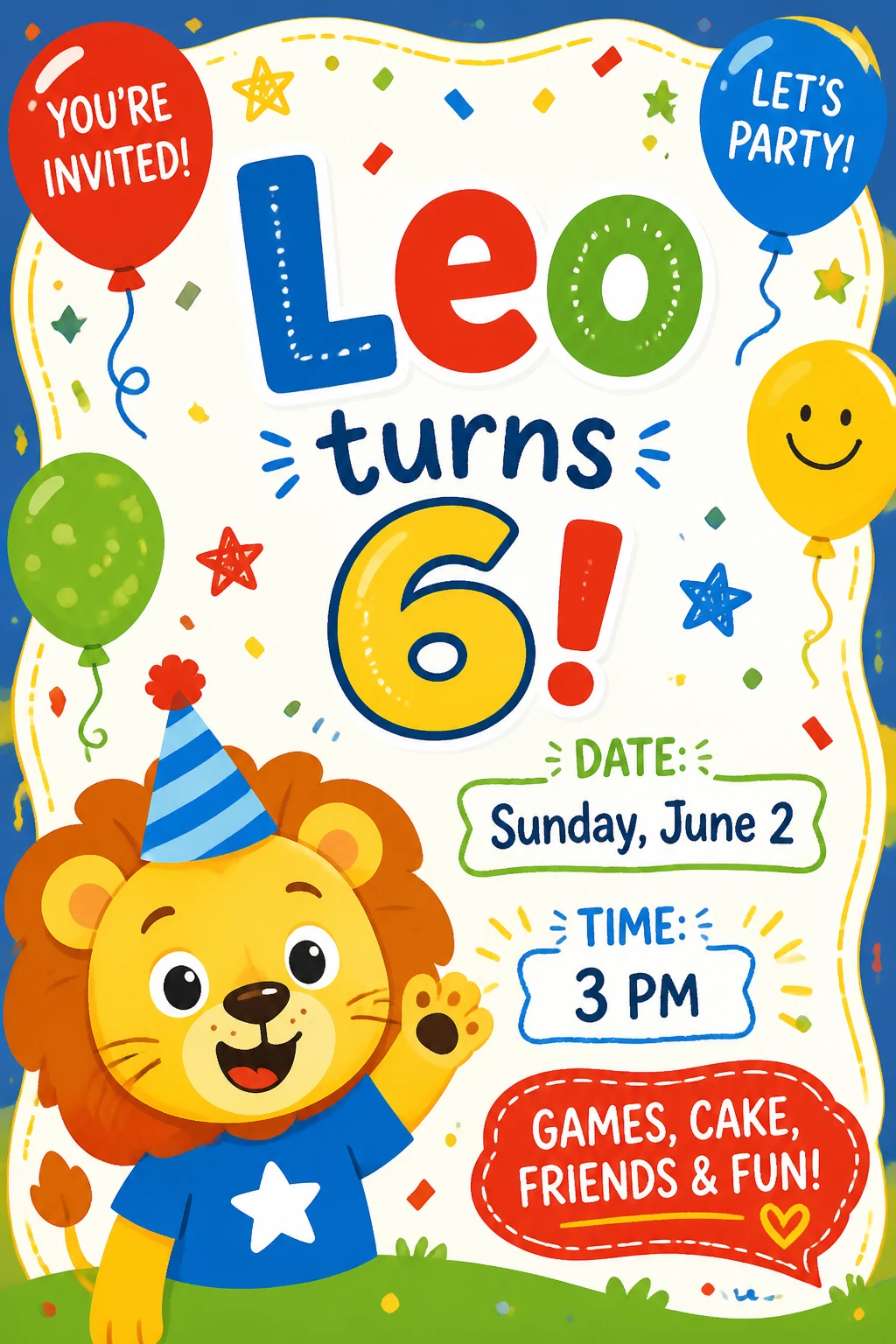 flyer
flyerPortrait playful kids' birthday invitation on a bright blue background with a wavy white sticker-style inner panel covered in cartoon confetti dots and squiggles. Hand-drawn cartoon balloons in the corners: red 'YOU'RE INVITED!', blue 'LET'S PARTY!', yellow smiley, green dotted. Big bouncy multicolor sans-serif headline 'Leo' (L red, e blue, o green outlined), then 'turns' in dark navy script, then a huge yellow '6!' outlined in navy. Lower-left: cartoon lion mascot wearing a blue-and-white striped party hat, waving, in a blue T-shirt with a white star. Right side, two rounded sticker labels: — Green outline 'DATE:' with navy 'Sunday, June 2' — Blue outline 'TIME:' with navy '3 PM' Red rounded speech-bubble sticker at the bottom right: 'GAMES, CAKE, FRIENDS & FUN!' in white with a small yellow heart. Palette: primary red, royal blue, sunshine yellow, grass green, white. Hand-drawn doodle stars, dashes, and confetti scattered throughout.
More→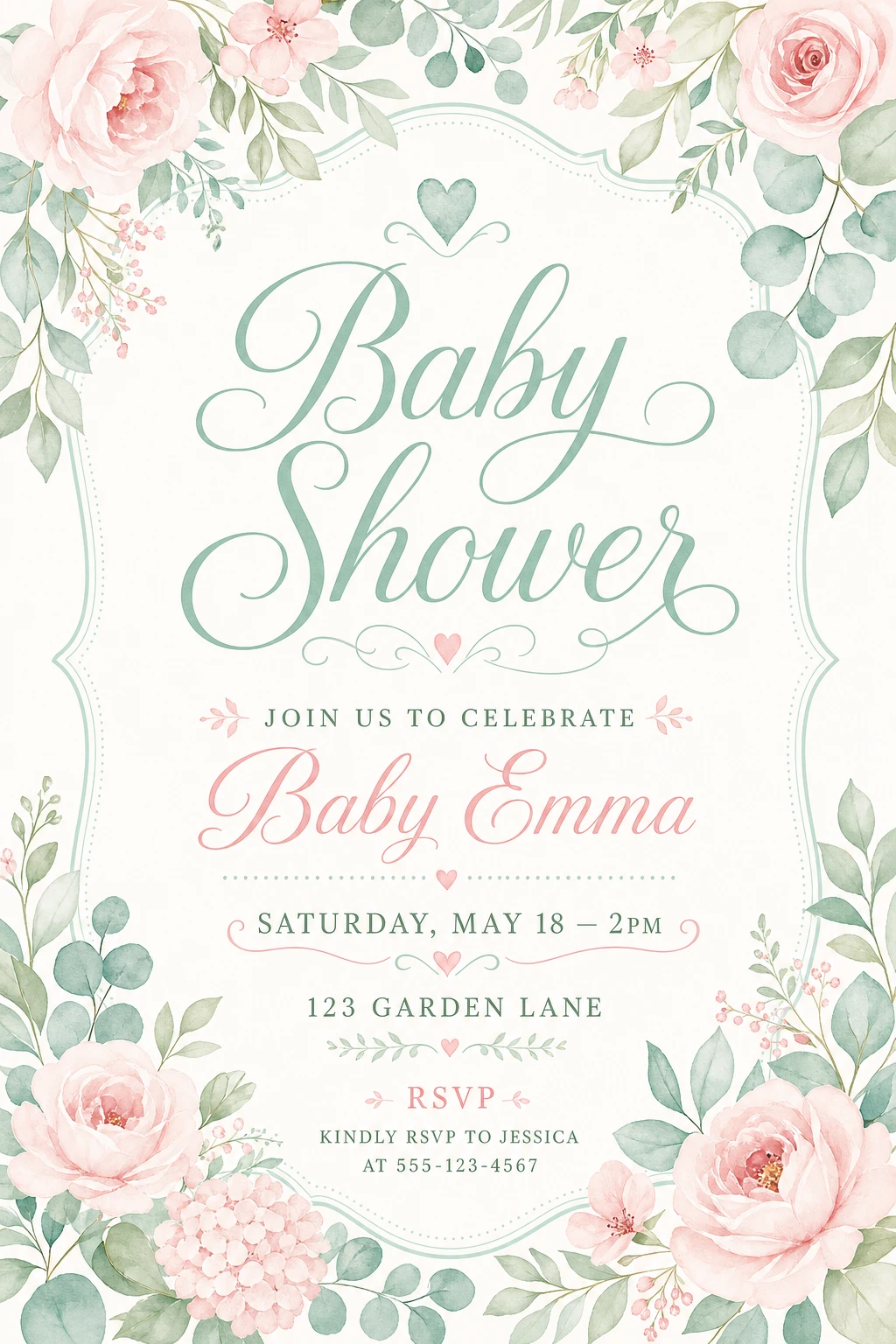 flyer
flyerPortrait soft pastel baby shower invitation on warm cream paper, framed by a watercolour wreath of blush peonies/roses, eucalyptus, sage greenery and pink hydrangea in the four corners. Centered ornamental sage frame with a small heart at the top. Inside the frame, massive flowing sage-green script across two lines: 'Baby Shower'. Below, a small swirl ornament with a tiny pink heart. Tracked uppercase sage serif: 'JOIN US TO CELEBRATE' Flowing blush-pink script: 'Baby Emma' Thin dotted divider with a pink heart. Tracked uppercase serif details: 'SATURDAY, MAY 18 — 2PM' '123 GARDEN LANE' Small sage leaf ornament. Pink uppercase header 'RSVP', then sage serif 'KINDLY RSVP TO JESSICA / AT 555-123-4567'. Palette: ivory cream, soft blush pink, dusty sage green.
More→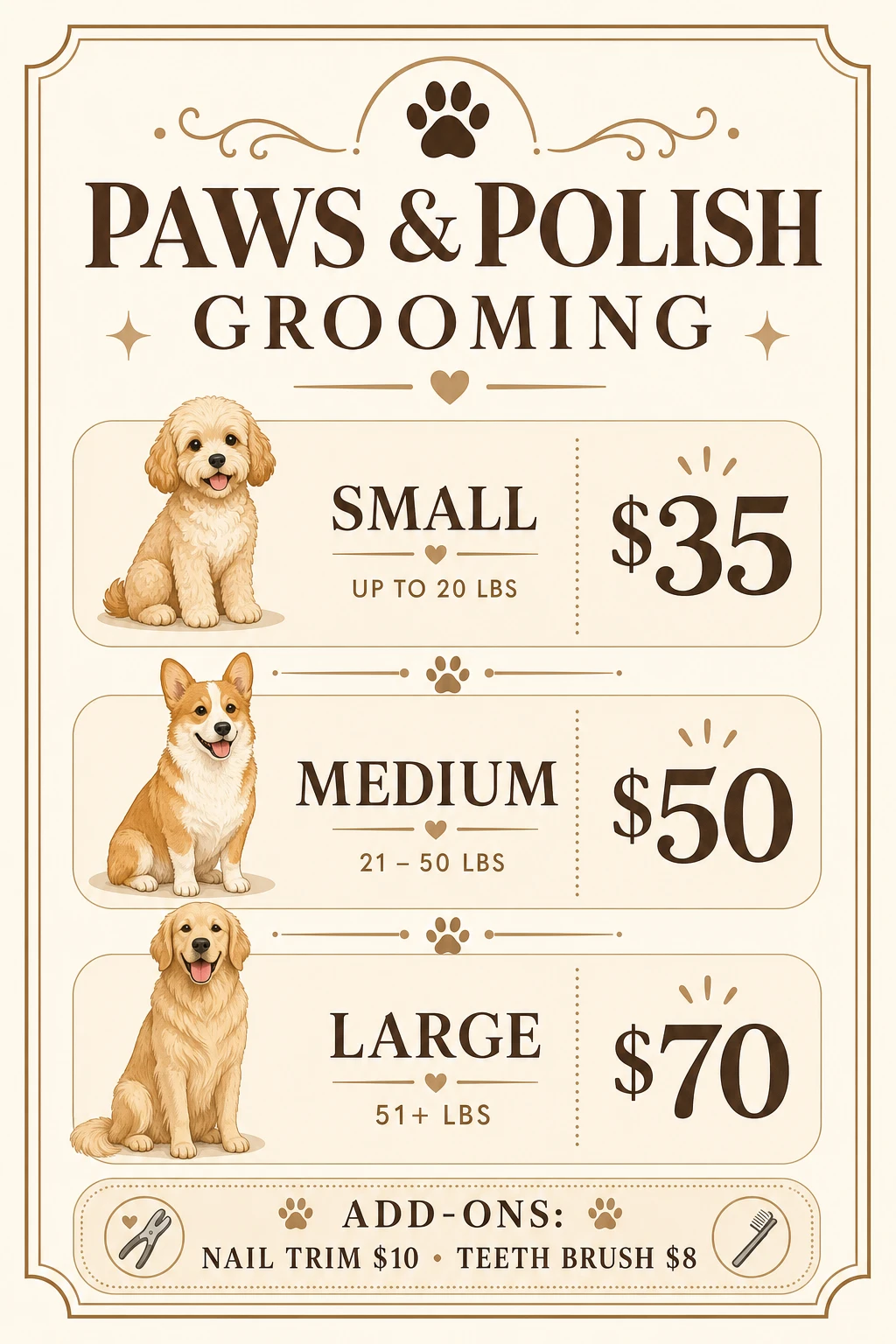 menu
menuPortrait dog-grooming price menu on warm ivory/cream paper with a thin gold double border and small filigree corner ornaments. Top center: chocolate-brown paw-print icon between gold filigree swirls. Headline 'PAWS & POLISH' in a chunky deep-brown serif, with 'GROOMING' centered beneath in a slightly smaller serif between two gold sparkles. Small gold ornamental divider. Three stacked rounded cream price cards, each with three columns — left: watercolour illustration of a happy dog; middle: size label in brown serif with weight range and small heart divider; right: large brown serif price. • Cream cockapoo puppy — 'SMALL — UP TO 20 LBS' — $35 • Welsh corgi — 'MEDIUM — 21 – 50 LBS' — $50 • Golden retriever — 'LARGE — 51+ LBS' — $70 Bottom add-ons strip: small grooming-tool icons with 'ADD-ONS: NAIL TRIM $10 • TEETH BRUSH $8' in brown serif. Palette: ivory cream, warm chocolate brown, antique gold.
More→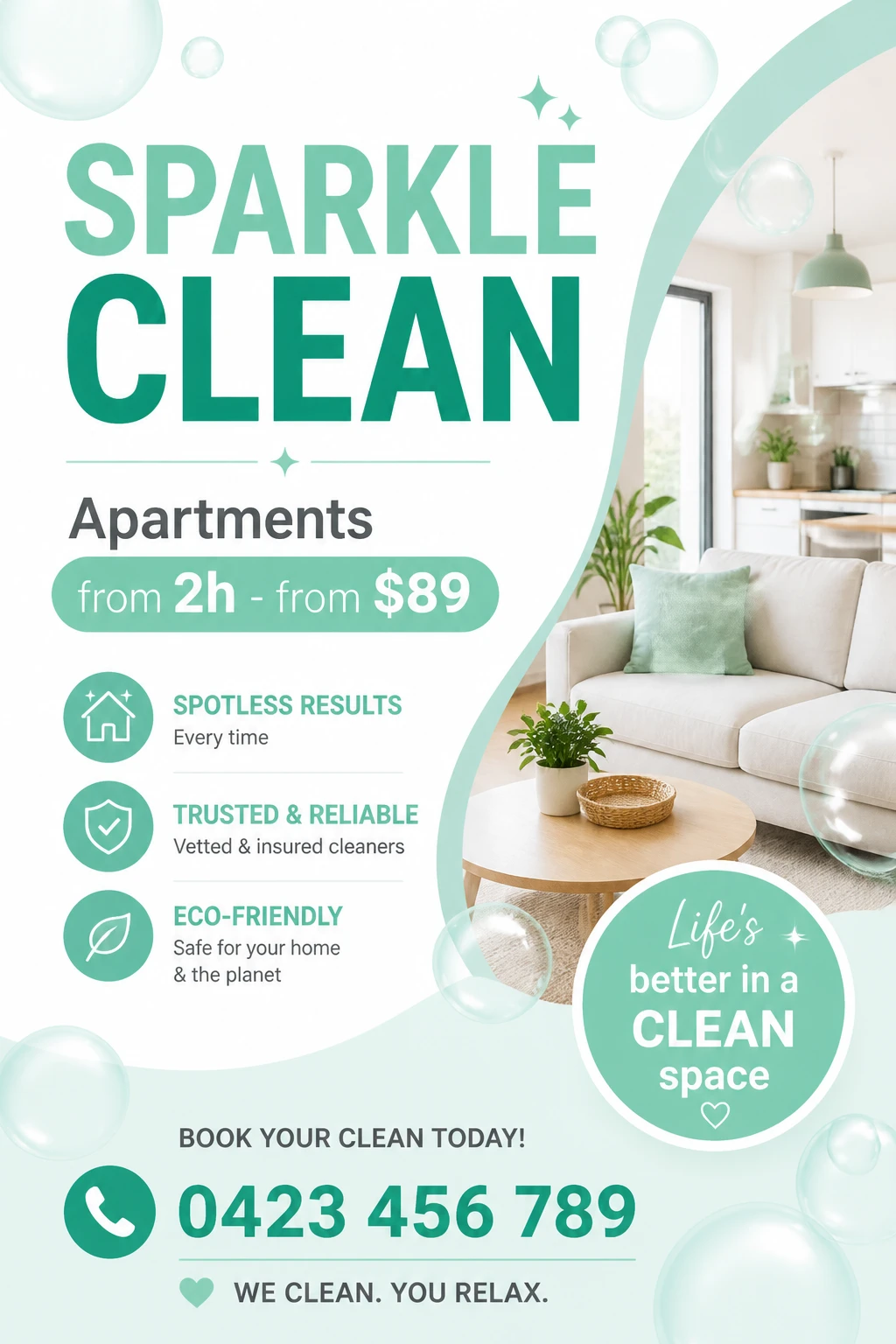 flyer
flyerPortrait modern cleaning-service flyer with a clean white background, soft mint-green wave shape sweeping from the upper right down and around to the lower left, and translucent bubbles floating across the entire layout. Massive bold sans-serif headline 'SPARKLE CLEAN' stacked over two lines — 'SPARKLE' in light mint, 'CLEAN' in deep teal-green. Small mint diamond divider beneath. Left column: dark grey heading 'Apartments', then a rounded mint pill containing 'from 2h - from $89' in teal with bold accents. Three mint circle icons with feature copy: • House — 'SPOTLESS RESULTS / Every time' • Shield with check — 'TRUSTED & RELIABLE / Vetted & insured cleaners' • Leaf — 'ECO-FRIENDLY / Safe for your home & the planet' Right column: bright photo of a sunlit modern living room — a cream sofa with a sage cushion, light wood coffee table with a small potted plant, an open kitchen in the background. Lower-right: a large mint circle stamp with white script 'Life's better in a CLEAN space ♡'. Bottom: 'BOOK YOUR CLEAN TODAY!' in dark grey caps, mint phone-icon circle next to teal phone number '0423 456 789', and footer 'WE CLEAN. YOU RELAX.' with a small mint heart. Palette: white, light mint, deep teal-green, charcoal.
More→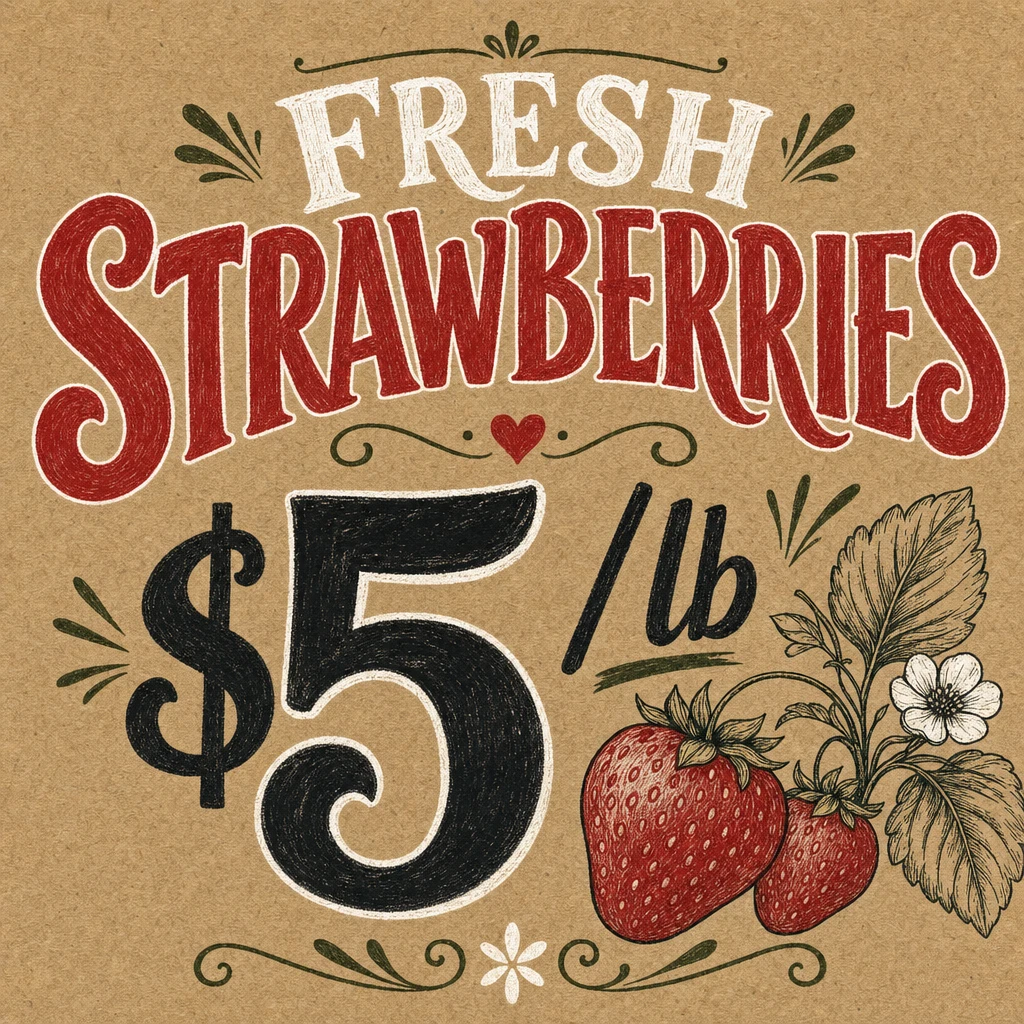 sign
signSquare rustic hand-lettered farmers-market stall sign on warm kraft-cardboard paper texture. Top: small dark-green hand-drawn sprigs and dots ornament, then 'FRESH' hand-lettered in tall cream-white display caps with a soft drop shadow. Below: huge hand-painted 'STRAWBERRIES' in deep barn-red traditional sign-painter serif with cream highlights, slightly arched, with a tiny red heart between two green flourishes underneath. Center: massive hand-painted '$5' in deep black brush serif with the '/lb' tucked beside the 5, surrounded by small black sparkle marks. Lower-right: detailed pen-and-ink botanical illustration of two ripe red strawberries with green leaves and a white strawberry blossom. Hand-drawn green leaf ornaments along the bottom edge with a small five-petal flower in the center. Palette: kraft brown, barn red, cream white, deep green, charcoal black. Hand-painted, slightly imperfect, market-stall warmth.
More→From idea to print in 3 steps
Type, generate, refine — every step is fast, precise, and built around your prompt.
Describe
Type it. Enhance it.
Generate
Polished designs in seconds.
Refine & export
Edit any spot. Print-ready in one tap.
What is Logogo?
Logogo is an AI design generator that helps people create logos, signs, menus, flyers, banners, labels, stickers, QR posters and other visual materials in seconds. Describe what you need, add an optional reference image and generate a design without starting from a blank canvas.
Logogo is built for businesses, events and personal projects. It can help a café create a menu, a salon design a promotional flyer, a local shop produce a sign, a new brand explore a logo idea or an individual make a poster, invitation, label or sticker.
Unlike a general-purpose AI image generator, Logogo is focused on practical design tasks. Users choose the type of material they want to create, describe the content and style, and receive a design that can be reviewed, refined and used for a real project.
What can you create with Logogo?
Create visual materials for branding, promotion, communication, events and everyday use.
AI Logo Generator
Create logo concepts for new businesses, products, projects, events and personal brands.
AI Sign Generator
Design shop signs, directional signs, promotional signs and branded business signage.
AI Menu Generator
Create menus and menu concepts for cafés, restaurants, bars, food trucks and catering businesses.
AI Flyer Generator
Make promotional flyers for services, offers, openings, events and local campaigns.
AI Banner and Poster Generator
Create banners and posters for advertising, announcements, displays and events.
AI Label and Sticker Generator
Generate visual concepts for product labels, packaging stickers, brand stickers and personal projects.
QR Poster Generator
Create posters that combine a message, branded design and space for a QR code.
Designs for Events and Personal Use
Make invitations, announcements, party posters, personalised labels and creative materials for personal occasions.
Who is Logogo for?
Logogo is designed for people who need a clear visual result quickly, whether they are creating something for a business, an event or personal use.
Business
Create logos, menus, signs, flyers, labels, posters and promotional graphics for cafés, restaurants, salons, retailers, agencies, service businesses, startups and growing brands.
Events
Design invitations, event posters, announcements, banners, signs and other visual materials for birthdays, weddings, parties, conferences and community events.
Personal use
Create custom posters, stickers, labels, invitations, gifts and visual ideas for personal projects without needing professional design software.
How does Logogo work?
- Step 01
Describe your design
Enter what you want to create, including the wording, purpose, visual style, preferred colours and any important details.
- Step 02
Add a reference if needed
Upload an optional reference image to communicate a visual direction, layout idea, brand style or existing material.
- Step 03
Generate and refine
Generate the first design, review the result and continue refining it until it better matches your project.
Logogo removes the blank canvas and turns a written idea into a visual starting point in seconds.
Why use Logogo?
Fast starting point
Move from an idea to a visible design concept without building the entire layout manually.
Focused design categories
Start with practical categories such as logos, menus, signs, flyers, labels, stickers and QR posters.
No advanced design software required
Describe the result in natural language instead of learning complex professional design tools.
Useful for real projects
Create visual concepts for businesses, promotions, events, branding and personal use.
Frequently asked questions
Logogo is an AI design generator for creating logos, signs, menus, flyers, banners, labels, stickers, QR posters and other visual materials from a written description and an optional reference image.
You can create logo concepts, menus, signs, flyers, promotional posters, banners, labels, stickers, QR posters, invitations and other designs for business, events and personal projects.
No. Logogo can be used by businesses, creators and individuals. It supports commercial design tasks as well as events, invitations, personal posters, stickers, labels and other creative projects.
No advanced design experience is required. You describe what you want to create, select a design category and optionally add a reference image to guide the result.
Yes. Logogo can generate concepts for business signs, promotional signs, event flyers, advertising flyers and other practical visual materials.
Yes. A reference image can help communicate the desired style, composition, branding direction or visual details.
Generation is designed to begin within seconds, although total processing time may vary depending on the request, model availability and complexity of the design.
Generated designs should be reviewed before professional printing. Printing requirements can vary by provider, including dimensions, resolution, bleed, colour profile and file format.
Yes. Users can continue adjusting the prompt, instructions or reference material to improve the result.
Create your next design with Logogo
Describe what you need and generate a logo, sign, menu, flyer, poster, label or other visual concept in seconds.